Account

Most of what makes running dodgeball exhausting is not the dodgeball. It is the forms, the transfers, the schedule you rebuilt three times, the referee who is somehow assigned to their own game. All of that lives here, connected, so fixing one thing does not break the other five, and all of it is built for this sport specifically, rather than for forty sports generically and yours by accident.
Give it your courts, divisions, time blocks and format. It places every match across every court together, so it can balance rest, spread referees fairly and keep divisions moving, then hands you a schedule you can print and pin to the wall. When something changes at 8am, you generate again from your blueprint; a copy of the old schedule is kept.
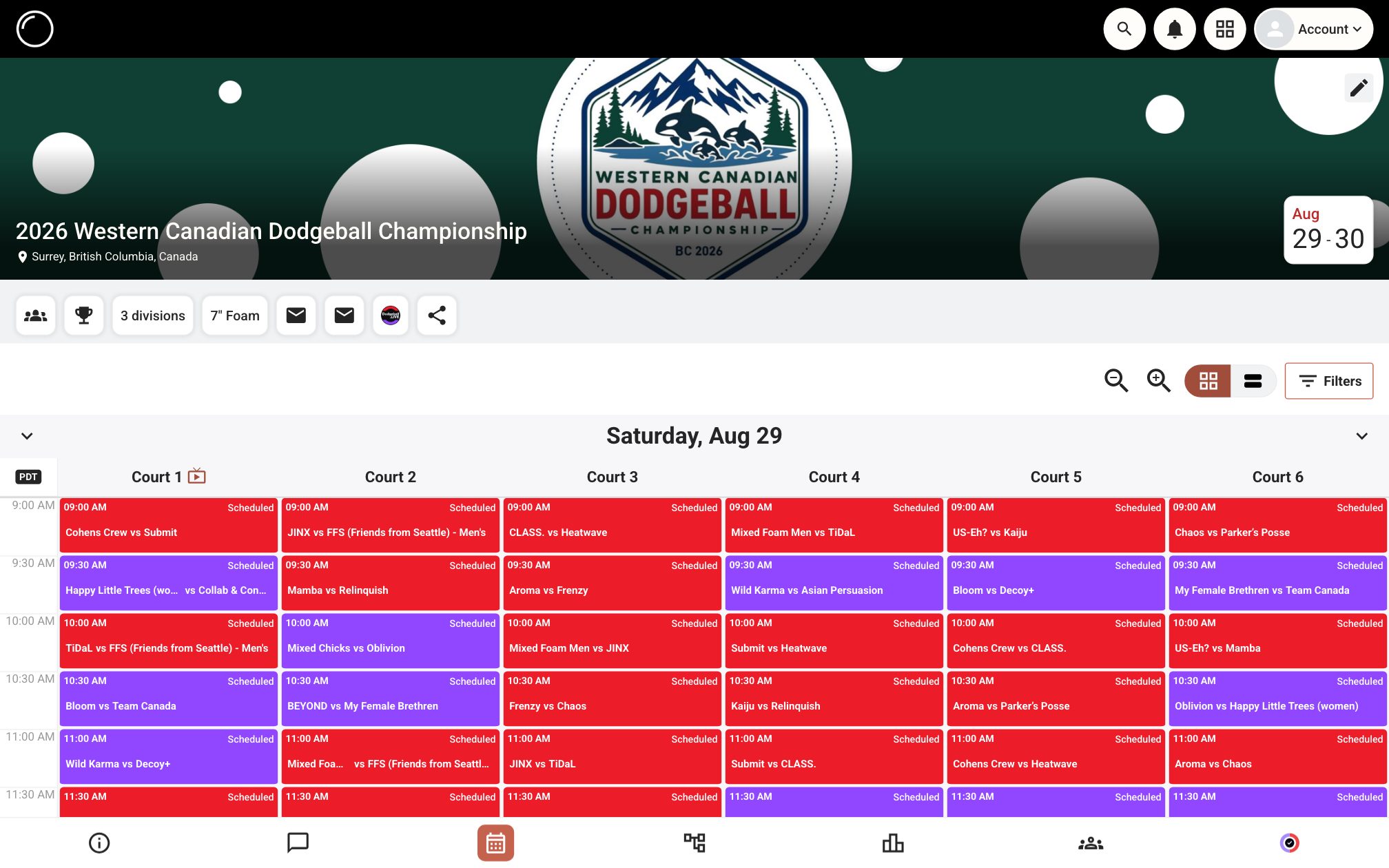
Set up an event, add the rules yours actually has, and watch the schedule build itself — referees included. The real scheduler and the real schedule view, not a mock-up. Nothing saved, no account needed.
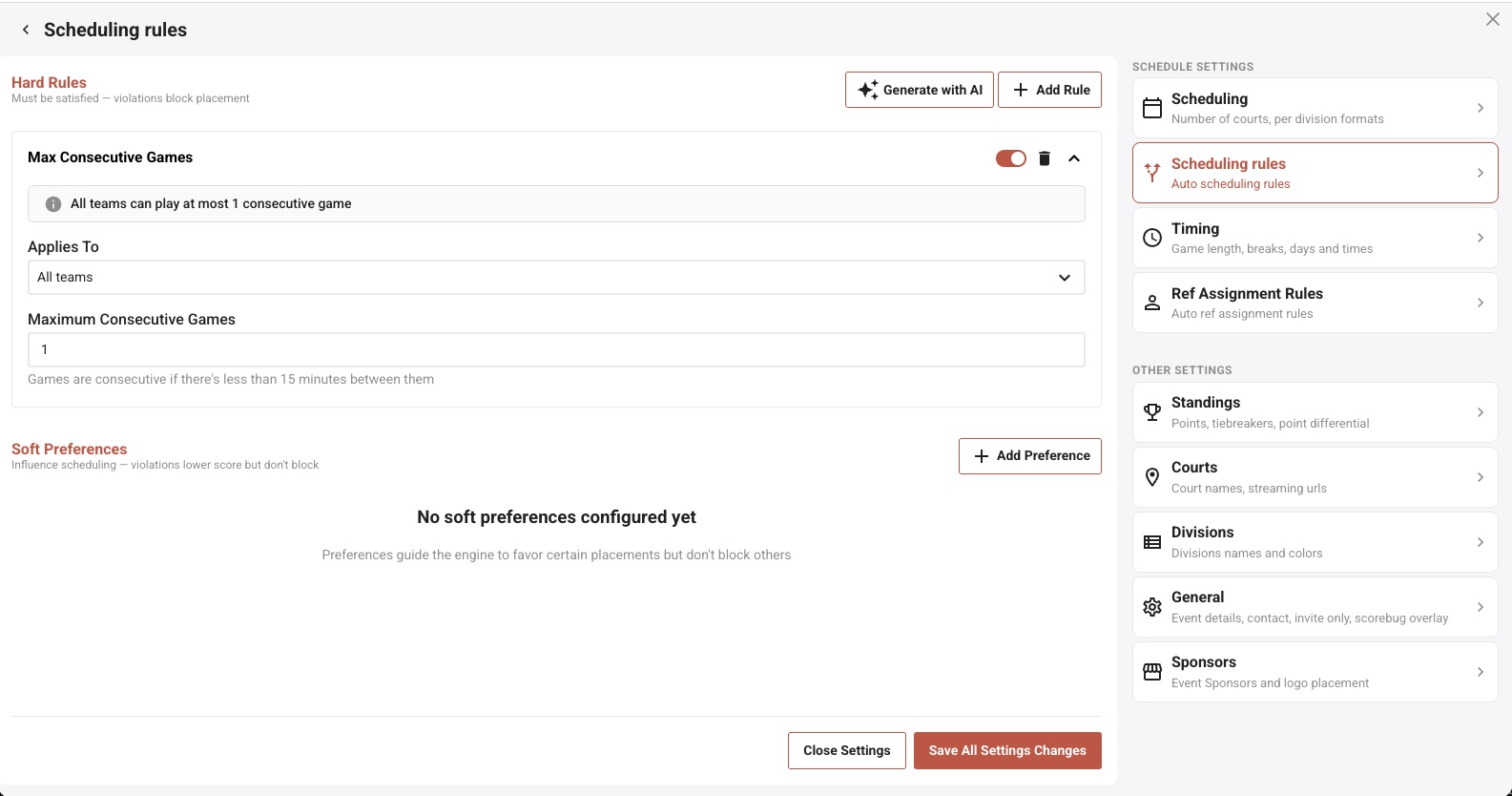
This is the part generic bracket tools do not have. Rules are split in two: hard rules the schedule may never break, and soft preferences it optimizes toward when it can. Set "no team plays twice in a row", "these two courts only", "45 minutes rest minimum", and the generator treats them as constraints to satisfy rather than suggestions to ignore. Not sure how to express what you want? Describe it in plain English and the AI assistant turns it into rules you can review before applying.
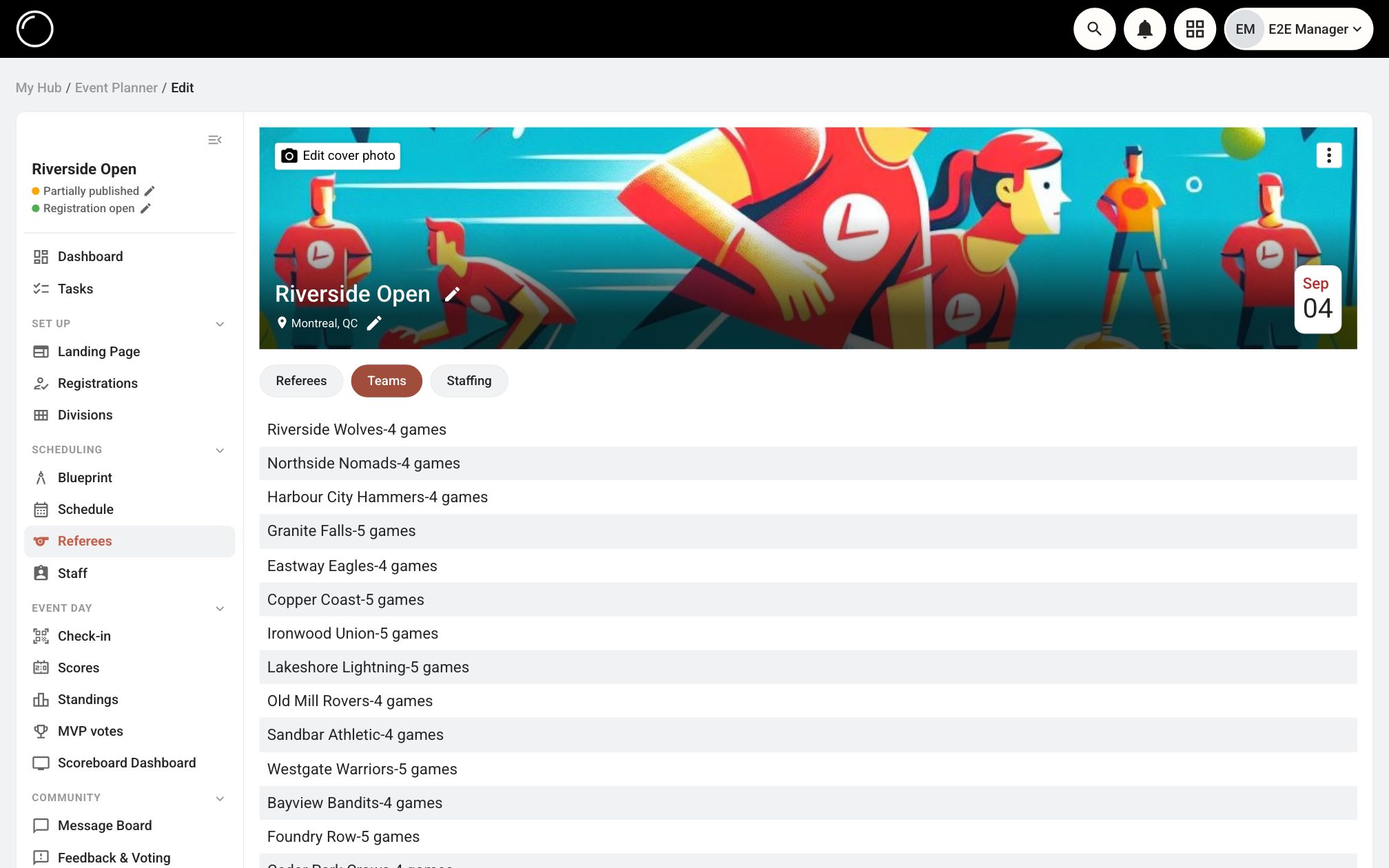
Assigning officials by hand is where tournaments quietly go wrong: the team reffing the game that decides their own pool, the crew that has worked six straight, the referee certified for the wrong ball. Referees get their own rule set and are assigned as the schedule is built, so those situations never make it onto the sheet.
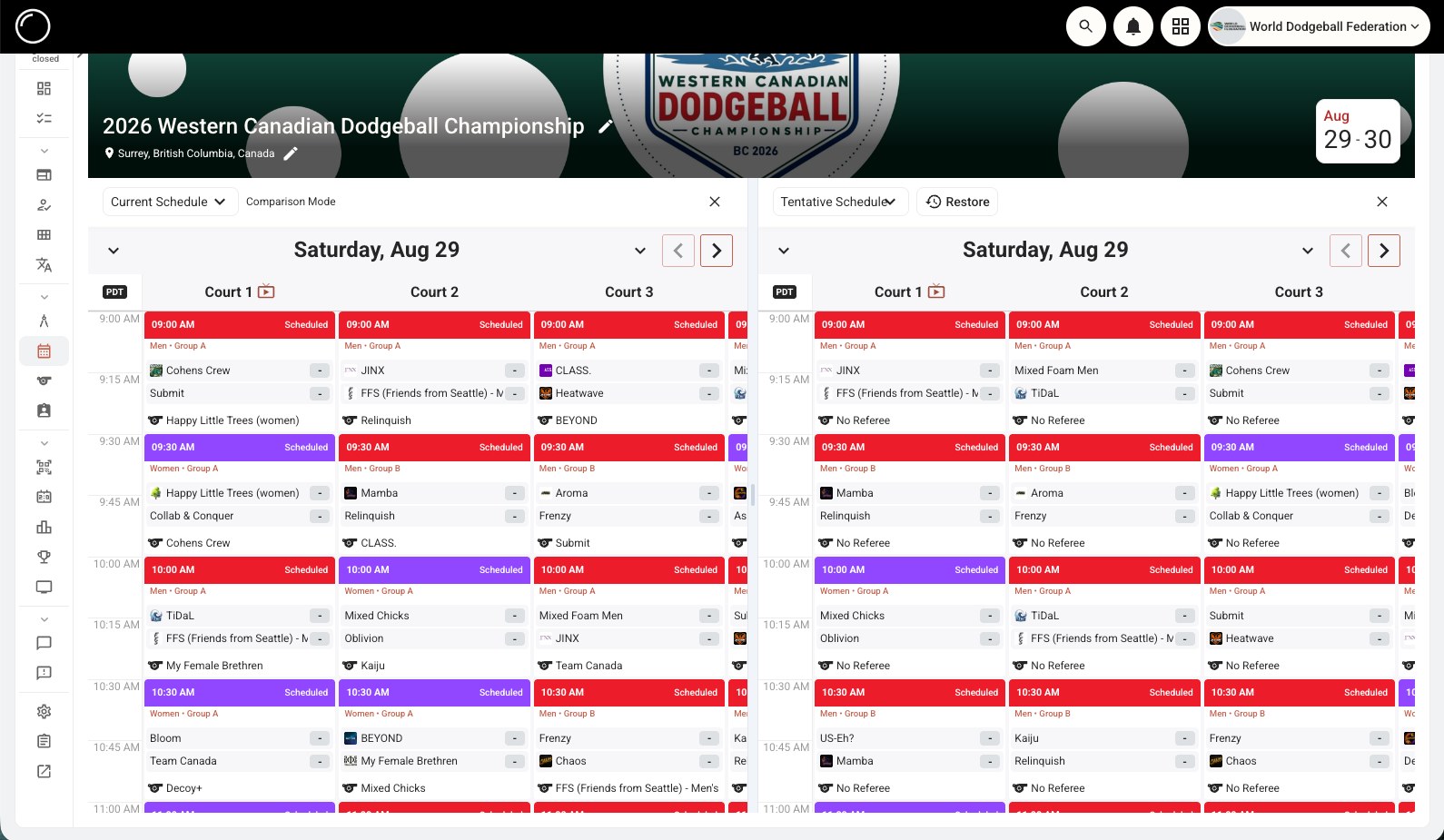
Regenerating a schedule should not be a leap of faith. Save the current one as a named version, generate an alternative, then put them side by side in comparison mode and actually look at what changed before you commit. If the new one is worse, restore the old one. This is the difference between experimenting with your schedule and gambling with it.
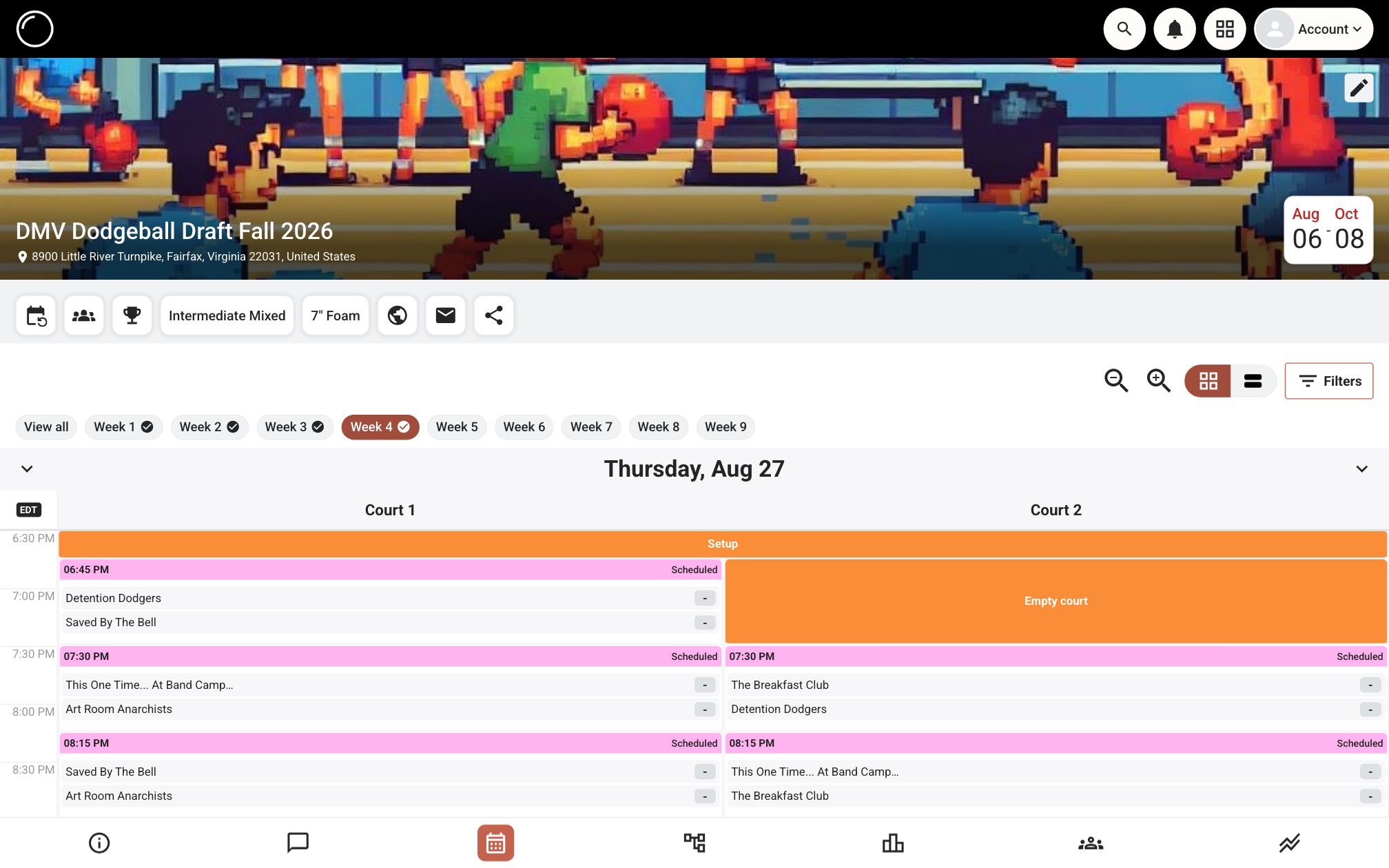
Leagues are not tournaments stretched out. They are their own problem, with weeks, byes, gym availability and teams that need to meet a set number of times. The Hub schedules them week by week, keeps standings running all season, and gives every week its own page so players know where to be.
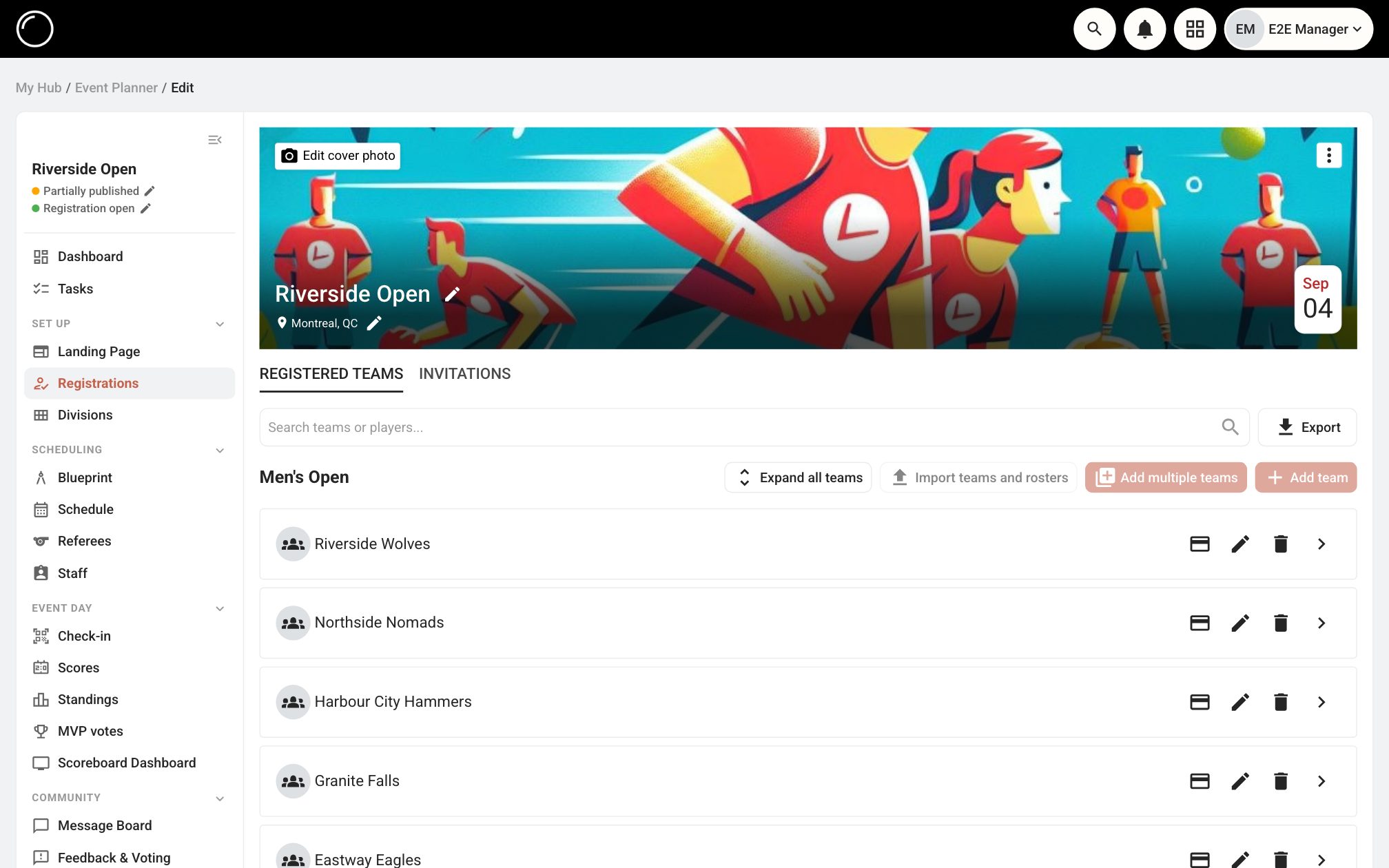
Teams register, sign what they need to sign, and pay into your own Stripe account. Cash and e-transfers get recorded against the same registration, so the awkward "did they pay?" question has one answer in one place. The roster that comes out of it is the roster the schedule uses.
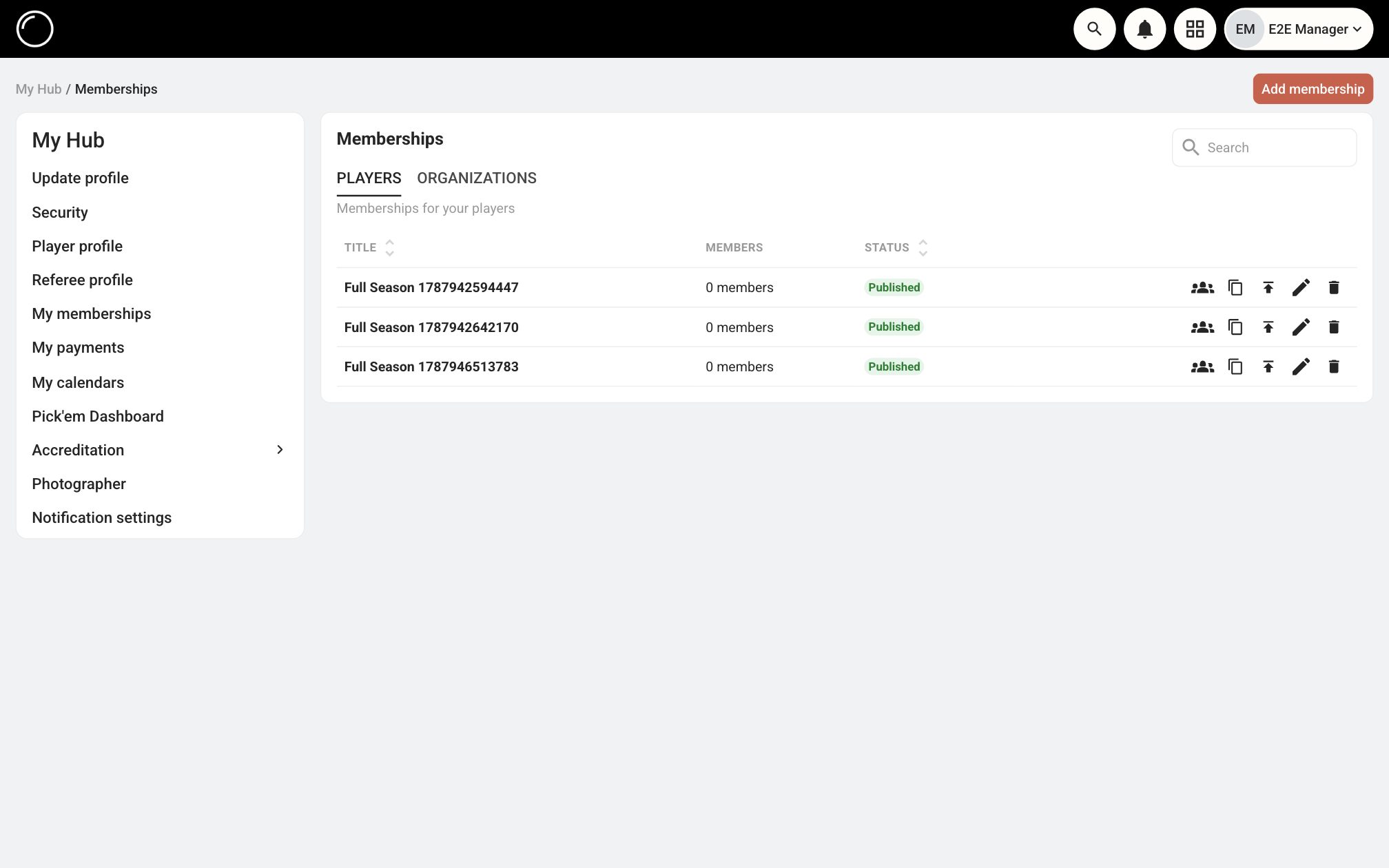
If you run a club, a league or a federation, the events are the visible part. Underneath is membership: who is current, who lapsed, who signed the waiver, who owes dues. Build your plans once and let renewals, payments and paperwork run against the same member list your events already read from.
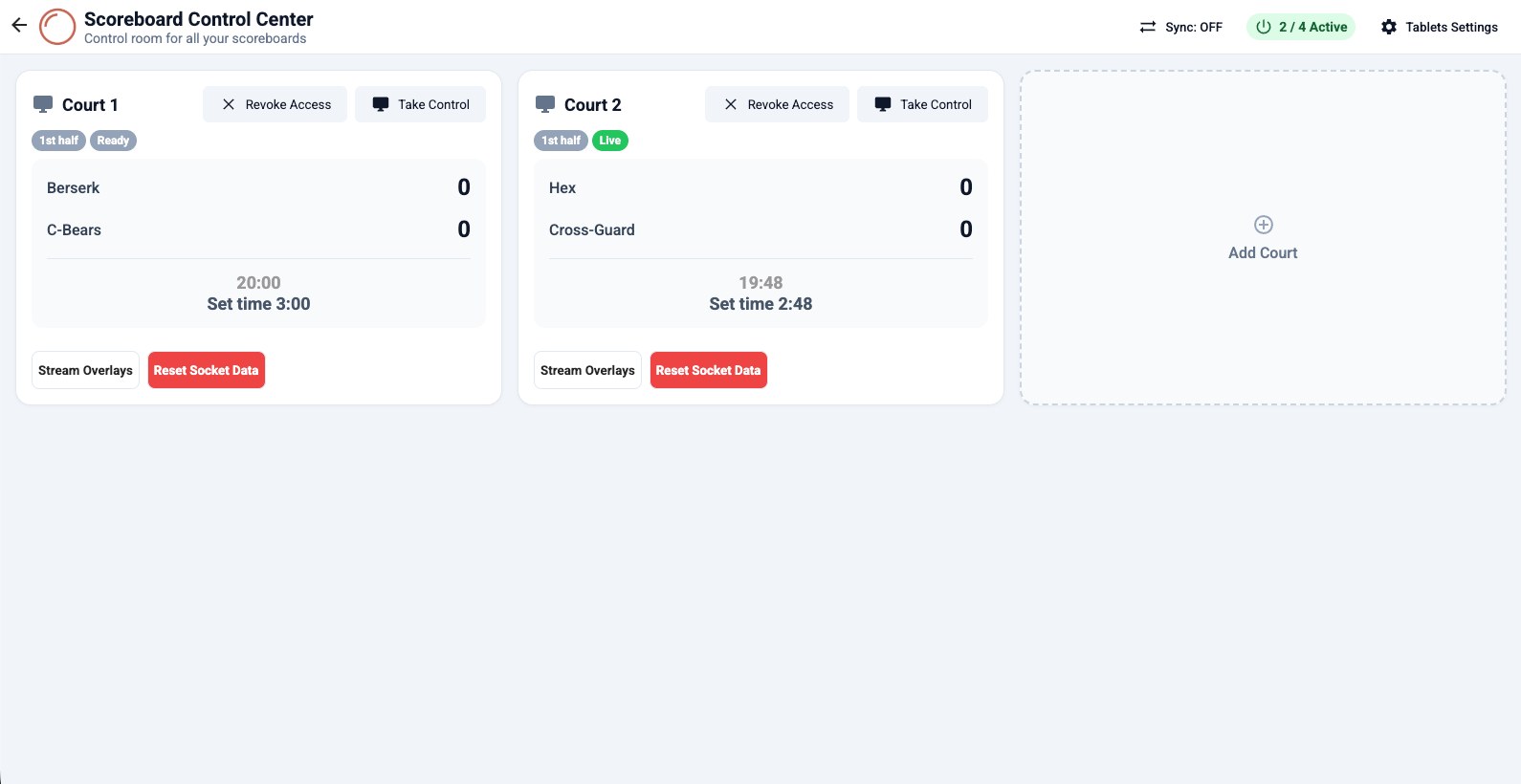
Each court gets a tablet showing the live schedule for that court: who is up, what time, and the game in progress. Referees enter the score right there, and the moment they do, the standings, the bracket, the public event page and the stream all move together. No runner carrying score sheets to the table, no ten-minute lag between the game ending and anyone knowing.
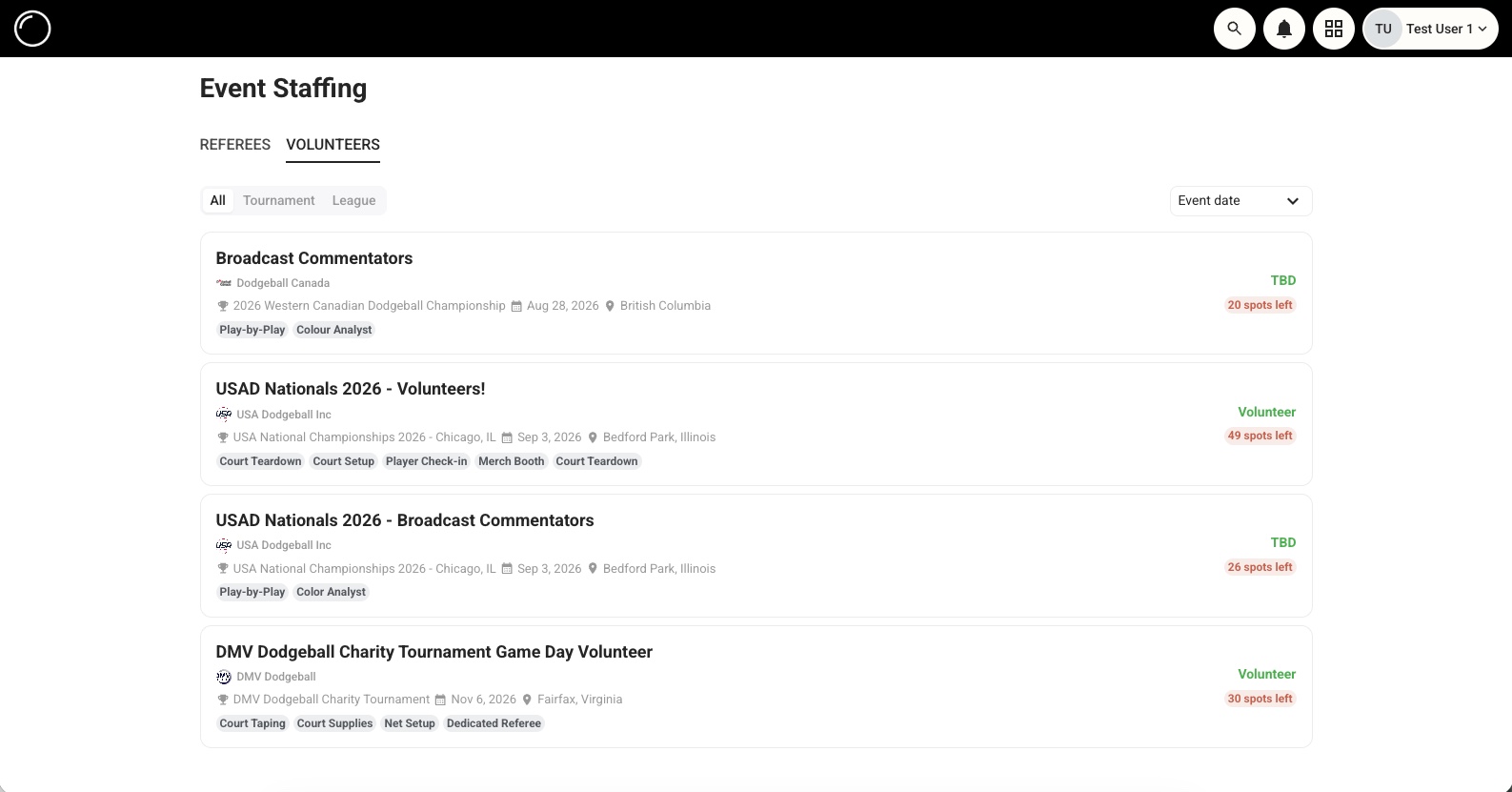
Referees, paid staff and volunteers all come from the same place: you post what you need, and it goes on a public board every player on the Hub can see, not just the people already in your contacts. Applicants come with their experience and the past events they have worked, so you are choosing rather than hoping.
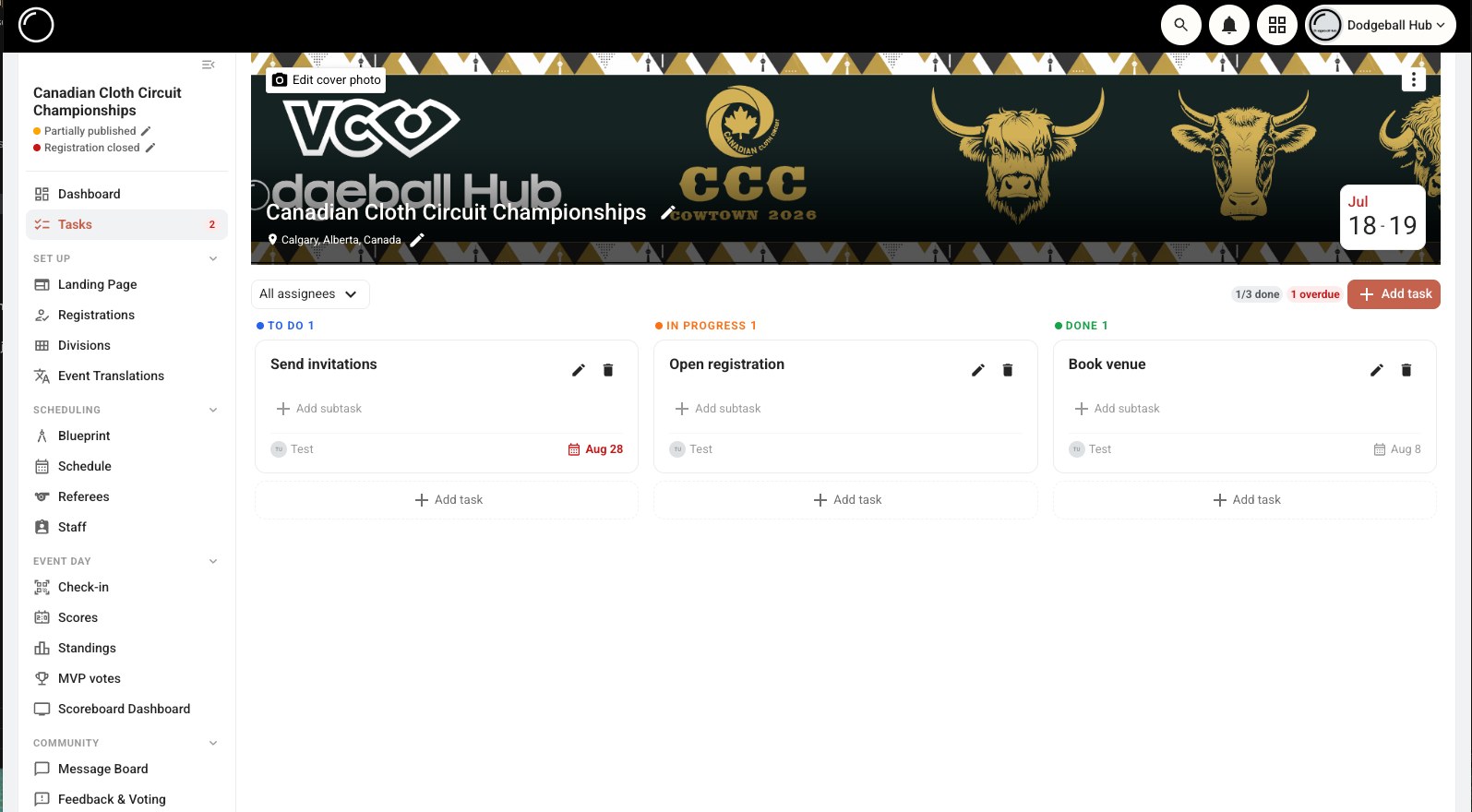
Running an event is a crew job, and the knowledge should not end up trapped in one head and one laptop. Bring your whole crew into the organization, give each of them a role that opens their part of the planner and leaves the rest shut, and put the checklist where everyone can see it: assigned, broken into sub-tasks, tagged, and filterable down to "what am I responsible for". And when the event belongs to two organizations rather than one, co-host it: both sides get access to the same event instead of one of you working through the other.
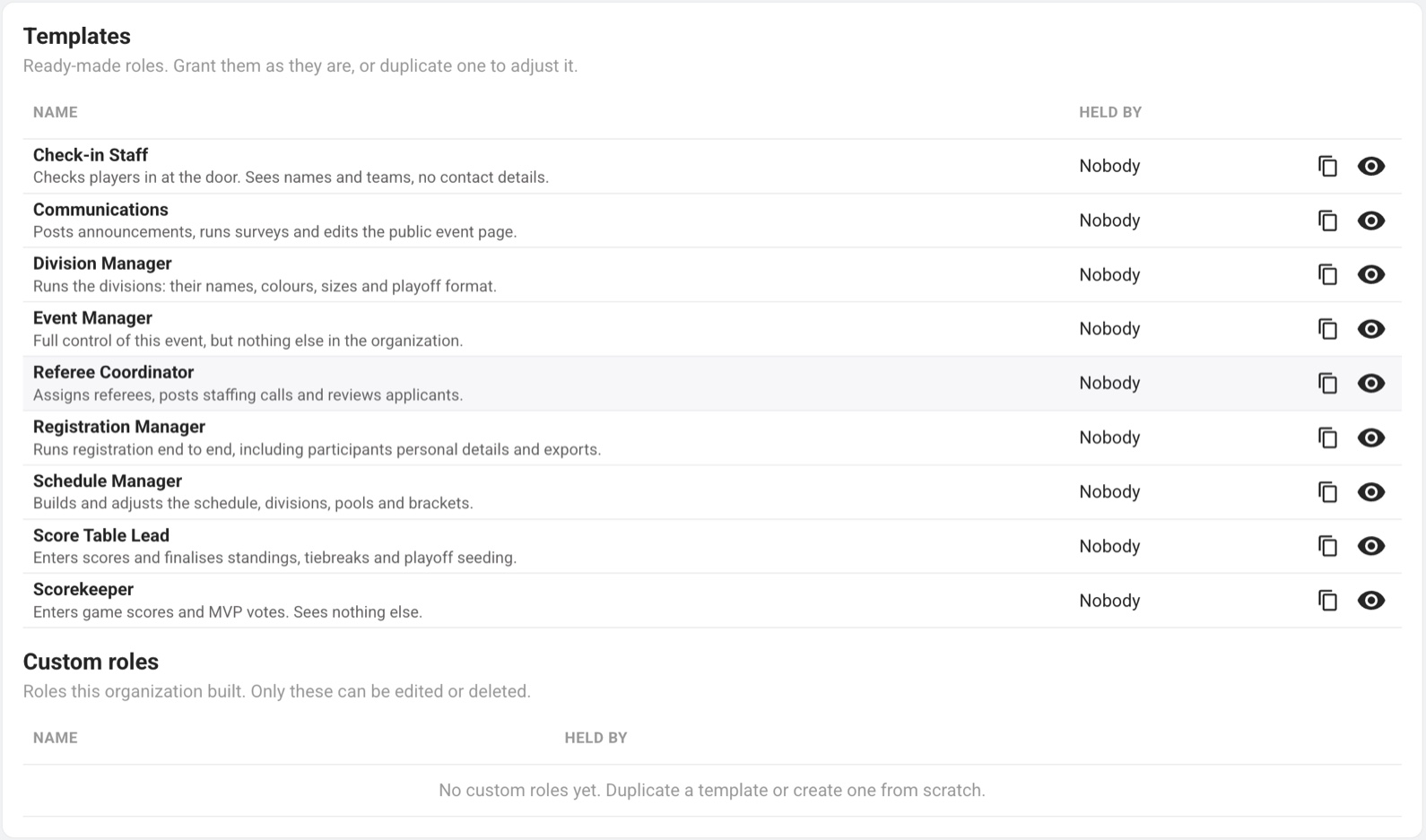
The person entering scores on court three needs one screen. The volunteer on the door needs names and team assignments and nothing else. A role is a bundle of capabilities you give to a person, and from then on the planner opens the sections that role covers, shows only the controls inside them it covers, and leaves the rest shut. Nine ready-made roles cover the jobs a tournament already has, and when your crew is shaped differently you duplicate one and tick the capabilities yourself. Every organization gets this on every plan, and organization managers keep everything they already had.
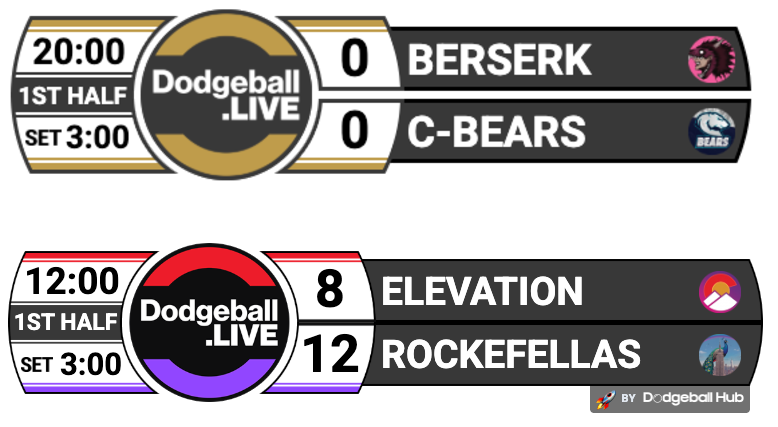
The score is already in the system, so putting it on screen should not be a second job. Style a scorebug to match your event, point your streaming software at it, and it updates itself from the same taps happening courtside. The venue screens work the same way.
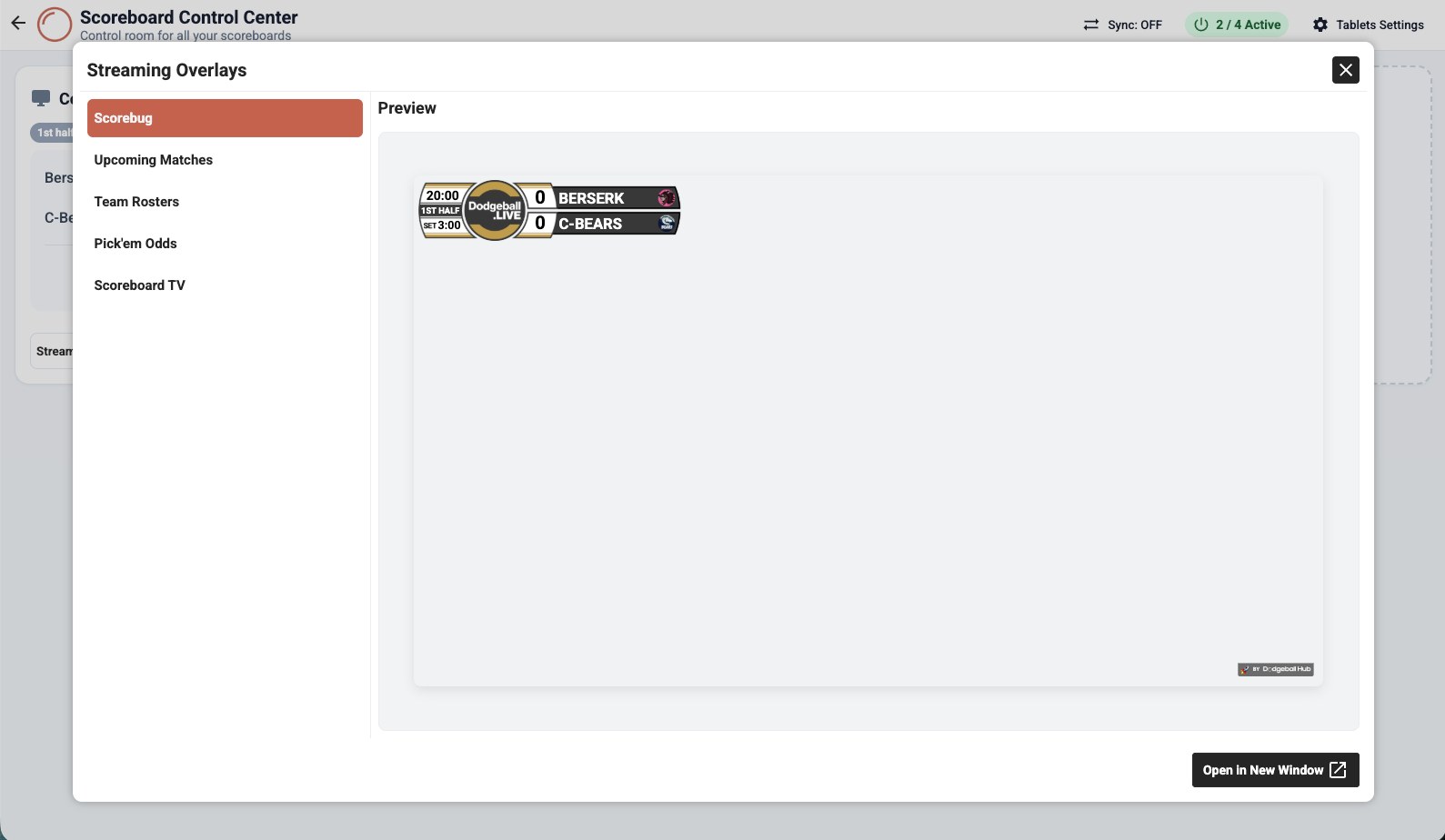
The overlay is a canvas, not a template. Drag elements where you want them, set the fonts, weights and colours, decide where team logos sit, and upload your own backgrounds, graphics and sponsor artwork. Save as many configurations as you like, one for the main court, one for finals, one for the event you run in different colours, then swap between them without rebuilding anything.
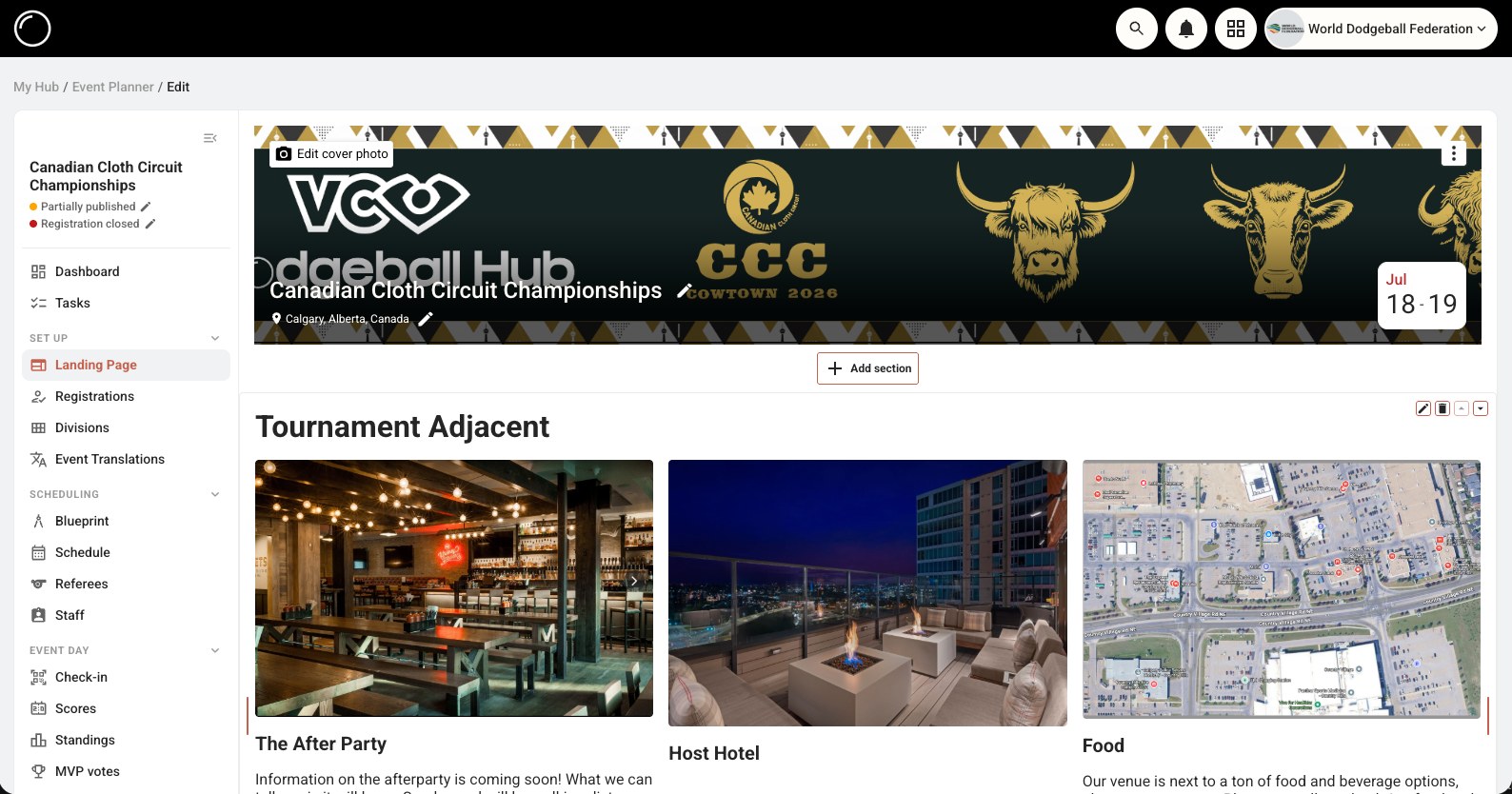
Every event gets a public page with the schedule, standings, rosters and results built in, plus the parts you write yourself: hotels, parking, food, rules, the stuff people email you about anyway. Your organization gets its own pages too, so returning players have somewhere to land between events.
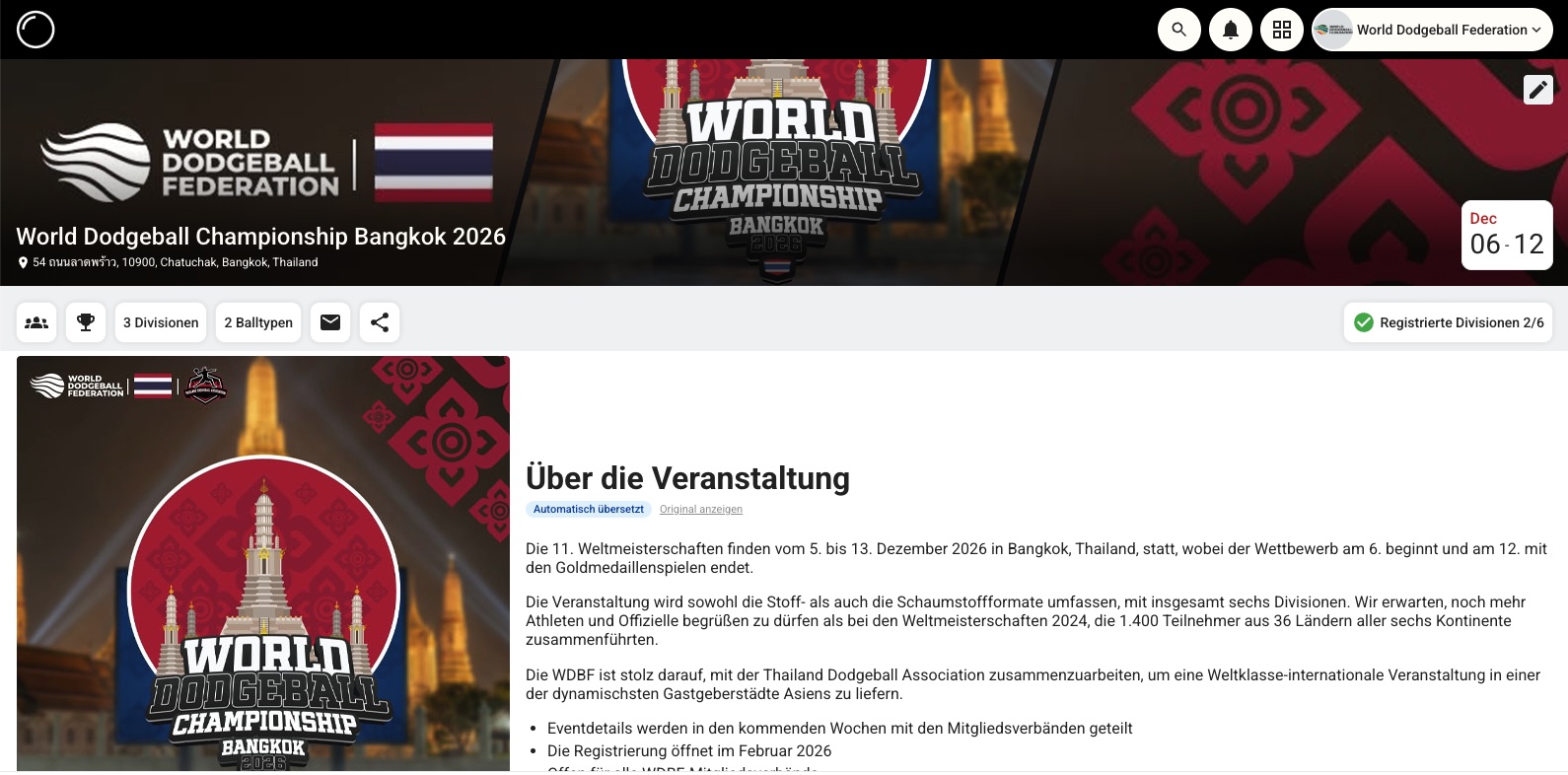
The platform speaks your players’ language — eleven of them today, from English and French to Spanish, German, Portuguese, Japanese, Korean, Thai and Chinese. That covers everything the Hub says: the schedule, the registration flow, the check-in screen, the buttons and the emails it sends. What you write yourself stays exactly as you wrote it, unless you switch on content translation for an event that needs it. So a francophone player registering for your event reads the form in French even if you wrote the event in English.
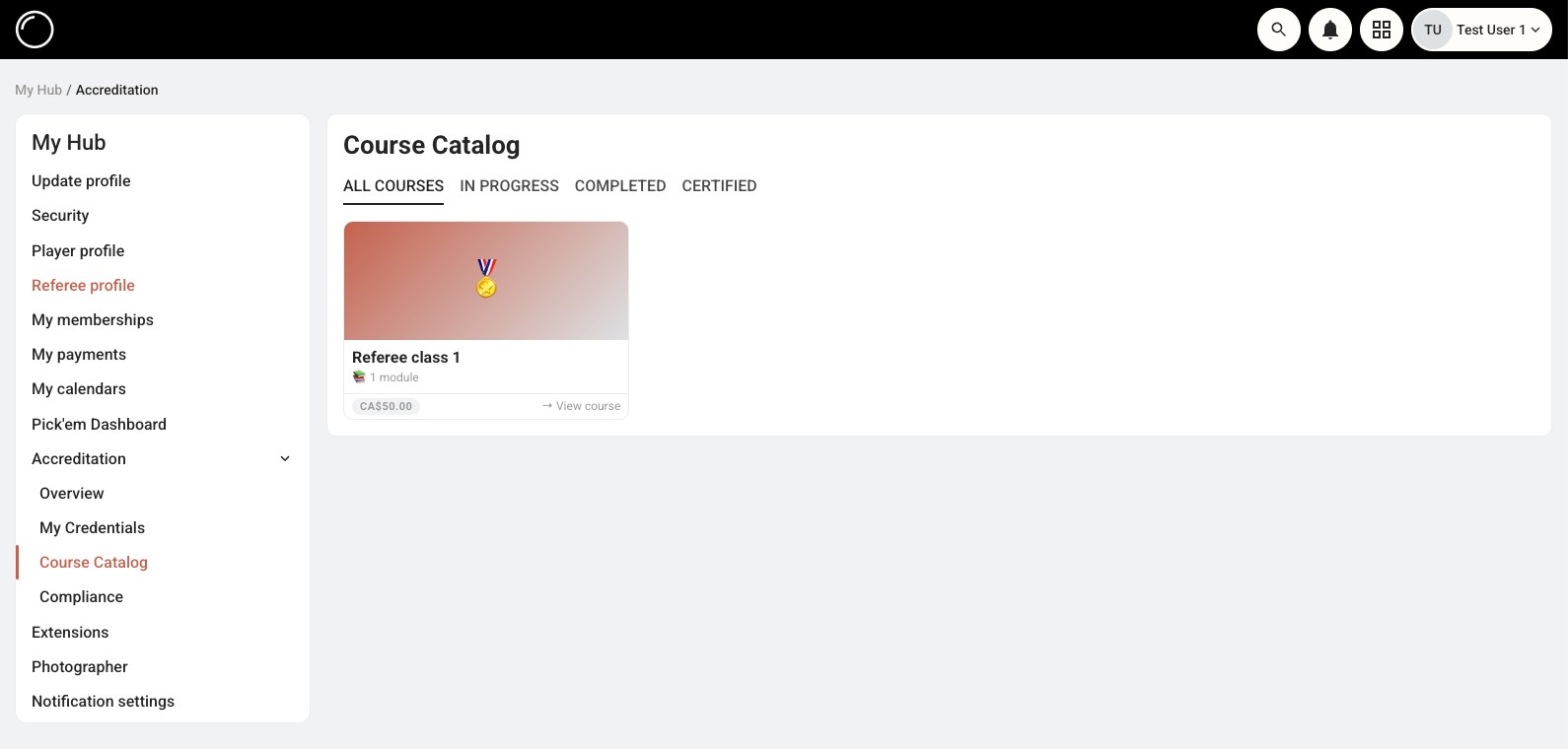
Once you are past a single event, the work changes: officials need training and credentials, rules need publishing, members need surveying, and someone needs to know whether the numbers add up. That work is here too, rather than in a folder of documents nobody can find.
Everything above ships today. These do not yet. They are in active development, listed here so you can plan around them rather than find out later.
The Hub already works in a phone browser, but a real app can do things a tab cannot: push you when your next game moves, keep working when the gym wifi does not, and put check-in and score entry one tap from your home screen.
Describing your constraints in plain English already works today. Next is handing the whole schedule to it: explain your weekend the way you would to a co-organizer, and get back a draft you can compare against your own before deciding which one to run.
Your event already holds the logos, the teams, the schedule and the results, which is enough to generate the things you currently make by hand. Posters and registration graphics before, matchup and live-standings cards during, and recap and podium images after, all in your branding and sized for where you actually post them.
An extension platform and public API, so your federation can build the one thing your rules need that nobody else does, and so the tools you already run can read from the Hub instead of being kept in sync by hand.
Most of this list started as someone else’s request. Submit yours on the feature board, and vote on what other organizers have already asked for, because that is largely how the order gets decided.
Submit a feature requestDodgeball Hub is built by people who run dodgeball events. Setting up your first one is the hardest part, so we will help you do it. Ask a question and a person answers, and if the thing you need does not exist yet, that is often how it ends up getting built.
Planning something and want a hand? Get in touch.
Every plan includes every feature. The difference is ads, support and the platform fee on payments you take. Nothing is locked behind a tier. Free events collect their registration payments through the platform; paid plans can take payment however they like.
$0 / event
Every feature, subsidized by ads. Free events take their registration payments through the platform, and that fee is what funds the tier.
$185 CAD / event
For the two or three big ones a year. No ads, priority support, lower platform fee.
$45 CAD / month
For leagues and anyone running events all season. The lowest platform fee we offer.
None of these quite fit? A federation, a season-long league, a first event with no budget behind it. Tell us what you are running. We would rather work something out than watch you go back to a spreadsheet.
Set up an event, invite your teams, and let the schedule build itself. The free tier is a real tier, with no trial clock and no card.